

MEXC Spot Order FAQ
When trading Spot on MEXC, you may encounter issues such as unfilled orders, failed trades, or fill prices that differ from what you expected. This article answers these common questions in detail to help you complete your trades more smoothly.
1. Why has my order still not been filled?
If your order remains pending, it is usually due to one of the following reasons:
1. Price deviation. Your limit price may be far from the current best bid or ask in the market. For example, if you set a lower buy price while the market price remains above that level, your order will stay open until the market reaches your price.
2. Insufficient liquidity. If you are trading a lower liquidity token, the trading pair may not have enough market depth to fulfill your order size. Even if the price briefly reaches your limit price, the order may still remain unfilled due to sharp market fluctuations or a lack of counterparties.
Please note that the order book follows the matching principle of price priority and time priority. There may already be other users' orders placed at the same or a better price before yours, and the system will match those orders first.
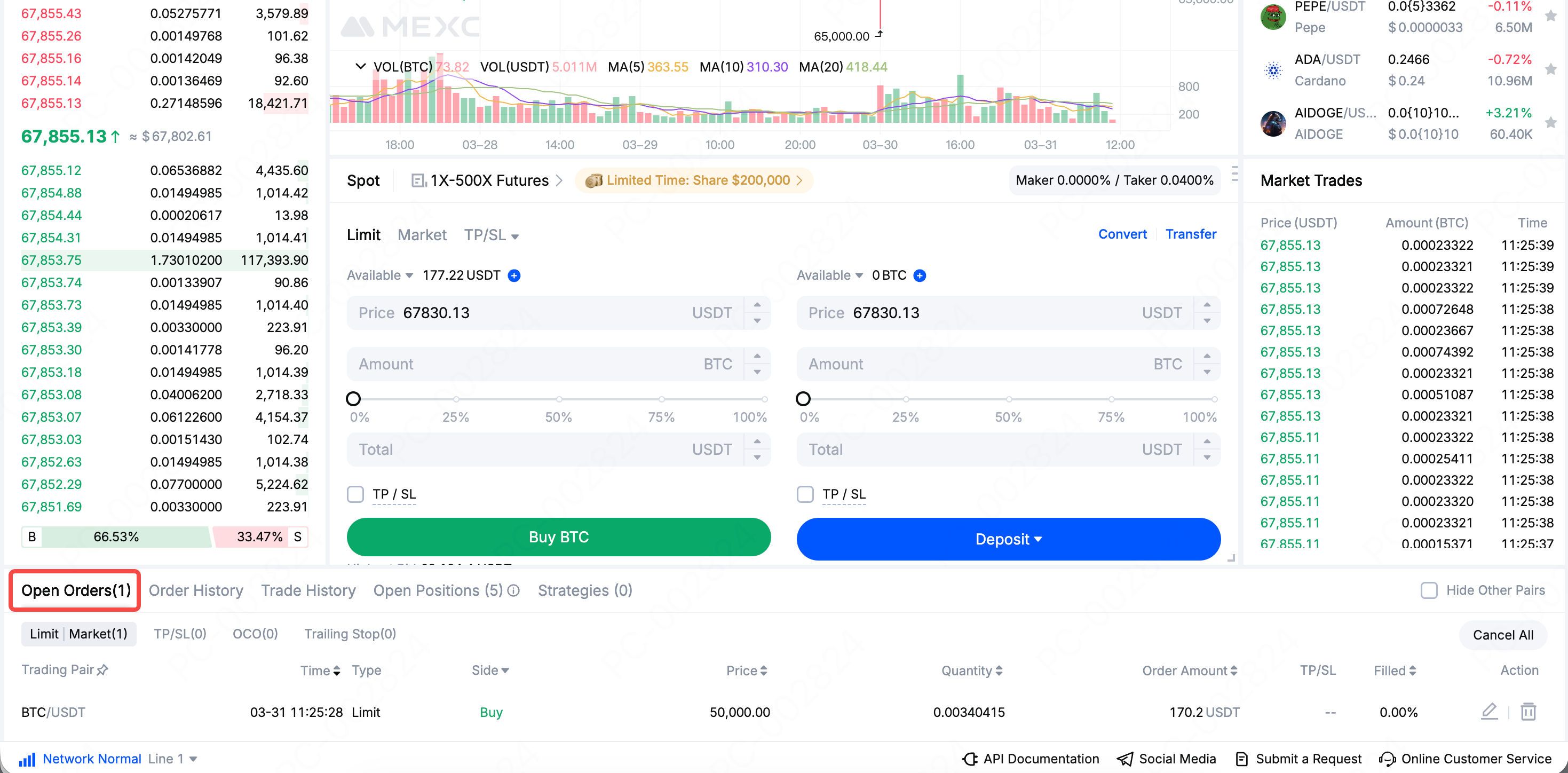
To check why your order has not been filled, you can view your order price under Open Orders and confirm whether it is aligned with current market conditions. If you want to complete the trade faster, you can modify or cancel the current order and place a new one at a price closer to the market, or use a market order directly.
2. Why do I see "Trade failed" or "Insufficient balance" when placing an order?
If you see either of these messages, please check the following:
1. Make sure your funds have been transferred correctly. Your assets may still be in your Futures, Earn, or other accounts, and must be transferred to your Spot account before you can place a Spot trade.
2. Check whether you have reserved enough for fees. Your account balance must be sufficient to cover both the purchase amount and the trading fee, otherwise the system may show an insufficient balance message. MEXC offers 0 fees on many trading pairs. You can visit the 0 fees page to view the currently supported pairs.
3. Check whether any funds are frozen. If you have other pending limit orders, the corresponding assets may be frozen by the system, which reduces your available balance. You can cancel unnecessary orders under Open Orders to release the frozen funds.
3. What is slippage? Why is the fill price different from what I expected?
Slippage refers to the difference between the price you see when placing an order and the actual fill price.
There are two main reasons why slippage occurs:
1. The market is moving rapidly, and the price changes between the moment you place the order and the moment it is executed.
2. You use a market order to buy or sell a token with relatively low trading volume and shallower market depth, so the order must consume multiple price levels before it can be fully filled.
To reduce the impact of slippage, please use limit orders during highly volatile market conditions so you can lock in your expected execution price.
4. Why can't I sell my entire holdings?
Some users may find that when closing a position, a small amount of tokens remains in the account and cannot be sold. This is due to the Minimum quantity precision of the trading pair.
The system sets a minimum step size for each order to help maintain liquidity and order book depth for the pair. This mechanism effectively prevents the market from being crowded with too many tiny fragmented orders, helping most users get better fill prices and a more stable trading experience.
If you want to clear these unsellable small balances, you can use Convert small balances to MX to convert leftover tokens into MX and complete the cleanup.
5. Can I sell or withdraw the token immediately after buying it?
Yes. Once the order is filled, the token will be credited to your Spot account immediately, and you can sell it at any time.
As for withdrawals, although the token is credited instantly, the actual withdrawal process may still be affected by several factors, including the platform's withdrawal limit rules, blockchain network confirmation times, and security verification requirements such as 2FA. It is recommended to review the relevant rules in advance to ensure a smooth withdrawal.
6. What should I do if I encounter a technical issue?
If you encounter technical issues during trading, such as being unable to cancel an order or funds not being credited, please contact MEXC Customer Service for assistance as soon as possible.